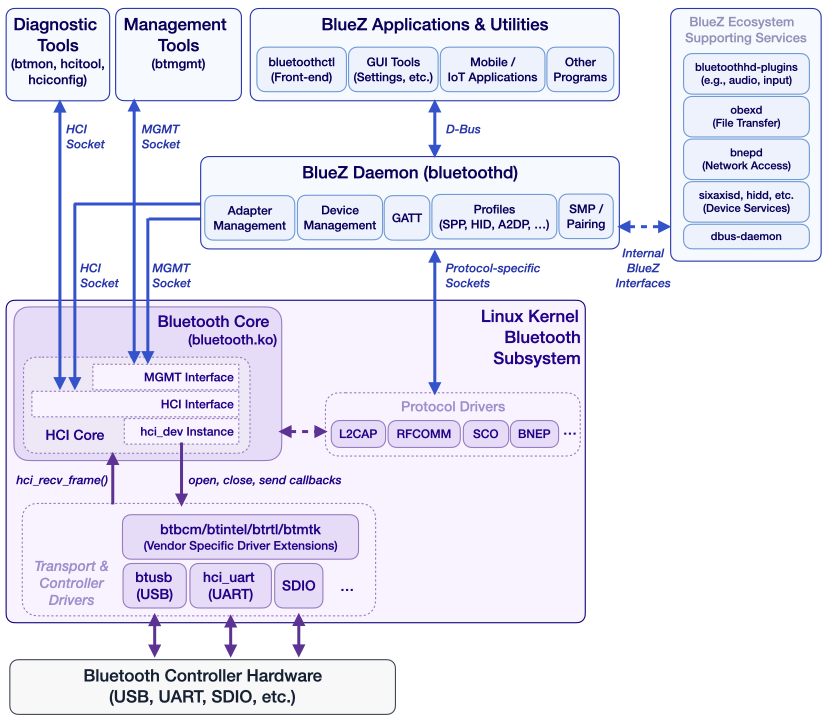
On Linux, working with Bluetooth devices typically involves the BlueZ. The operating system detects and initializes the controller, while BlueZ acts as the central service that exposes Bluetooth functionality to applications. Although the kernel provides a uniform HCI interface for controllers connected via USB, UART, or SDIO, applications communicate with BlueZ over D-Bus and other high-level APIs to perform tasks such as device discovery, pairing, and accessing GATT services.
BTstack, our proprietary user-space Bluetooth Host Stack, follows a different approach: it interacts directly with Bluetooth controllers at the HCI level. For embedded Linux systems, it provides custom HCI transport implementations for UART and USB to communicate with the controller. The direct access enables BTstack to handle controller initialization, including firmware download and vendor-specific setup steps for a wide range of devices, which are often required on embedded platforms. This gives developers full control over the complete Bluetooth stack within their application.
We visited the Embedded World Exhibition in Nuremberg again this year as an independent Bluetooth Host Stack vendor.
Events like this are a great opportunity to step outside of project threads and long technical email exchanges and actually meet the people behind them. It adds a much-needed personal dimension to the work we usually do remotely.
It’s also a place where you quickly find others on the same wavelength — engineers dealing with the same practical realities of hardware and Bluetooth chip restrictions. As always, we had many discussions about solutions and possibilities. And yes, we’ll keep advocating for a few things we believe would make many developers’ lives easier — such as a very simple GPIO-toggle-based time synchronization mechanism for LE Audio TWS, as well as better support for forwarding Bluetooth Classic audio to LE Audio.
The Web has evolved into a powerful platform for hardware interaction, yet Classic Bluetooth and LE Audio support have long remained one of the last frontiers trapped in native code. Breaking that barrier would open the door to a new class of connected Web experiences – connecting your Bluetooth headphones, sensors, and controllers directly through the browser, with no drivers, or system dependencies could enable innovation that isn’t gated by operating systems but fueled by open standards and creativity.
In our previous post about BTstack on the Ezurio Vela IF820 development kit, we explored how to fully port the stack to this platform. As an added bonus, we repurposed the onboard RP2040 MCU to run the stack and to eliminate the need for extra hardware. In the end, a standard Bluetooth Controller breakout board was transformed into a compact, standalone BTstack development platform connected via USB. While this is quite nice, the Vela IF820 development board does not include an onboard audio codec or DAC, which means there’s no straightforward way to play back music. Instead of seeing that as a limitation for our project, we turned the lack of a audio playback component into an opportunity to learn something new.
Once testing on Linux, macOS, or Windows is complete — and if there are no plans to run BTstack directly on an SoC — the next challenge is usually connecting an MCU development kit to a Bluetooth Controller breakout board via the Bluetooth UART HCI interface, and getting the stack up and running on the MCU. While BTstack can be ported to almost any MCU/development kit, the process involves figuring out the correct UART pinout and carefully adding jumper wires between the boards. No matter how carefully this is done, the result will be a fragile setup that’s inconvenient to transport or use for demonstrations.
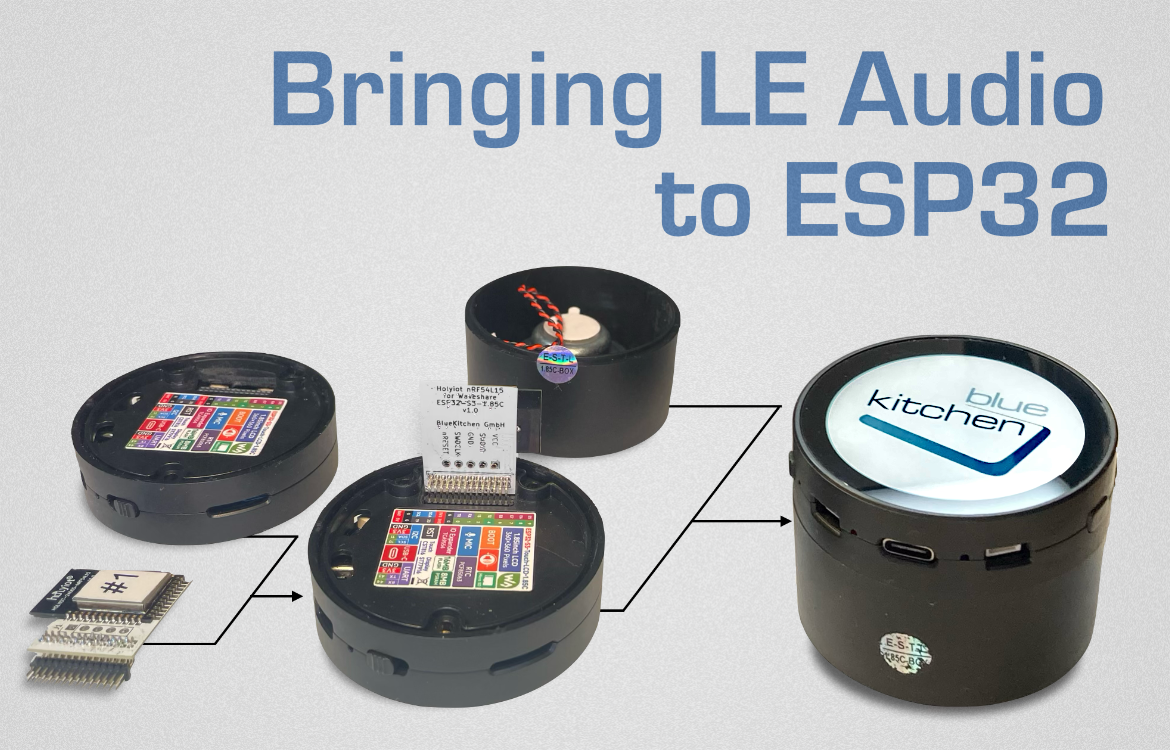
In our previous post, we explored how accurate playback for True Wireless Stereo (TWS) can be achieved on an STM32F4 Discovery development kit with both Infineon CYW5551x (LC3 on-board) as well as a Nordic Semiconductor nRF54L15 (LC3 codec on the STM32) Controllers. While these work well, the setup isn’t suitable to carry around and demonstrate – especially for a demo with multiple devices, e.g. one sender and two or more receivers.
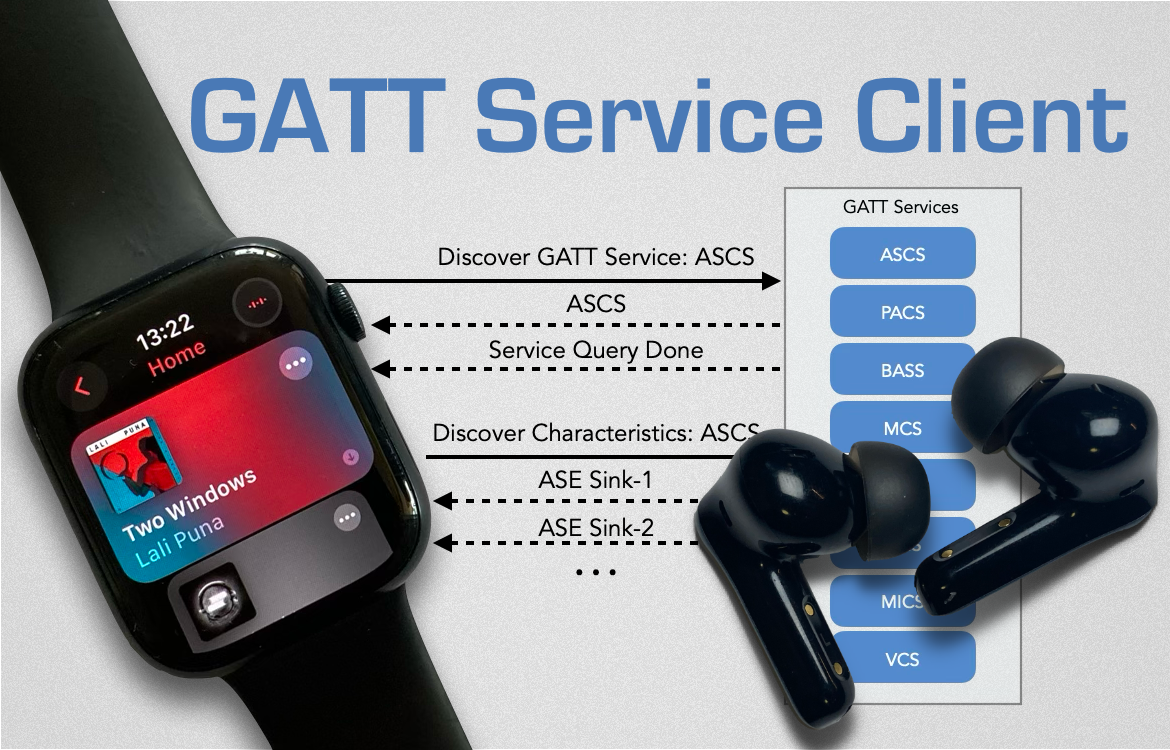
If you’re looking to implement a standard GATT (Generic Attribute Profile) Service Client, your starting point will be the corresponding Bluetooth GATT Service Profile specification provided by the Bluetooth SIG. This document outlines how a GATT Client interacts with a GATT Server, but only those steps after the service has been discovered, characteristics have been queried, and all allowed notifications and indications have been subscribed to. While there is no mystery to this setup process — it follows a well-defined sequence of queries and responses — its implementation is repetitive and time-consuming. This repetitiveness became painfully obvious during our work on the LE Audio profile, as we were developing a large number of GATT Clients one after another.
As LE Audio is getting added to most new in-ears headphones and is support in newer flagship Android phones, we’d like to highlight an important feature of the technology: True-Wireless Stereo (TWS) playback without the Link Layer shenanigans of current Bluetooth Classic In-Ear headphones.
True Wireless Stereo (TWS) Playback on Bluetooth Classic A2DP
Up until now, Bluetooth did not provide the necessary synchronization primitives to playback audio accurately by two individual devices. To build In-Ear headphones nevertheless, there have been a range of different TWS approaches. Qualcomm provides a nice overview in their The Evolution of True Wireless Technology whitepaper on these. The following provides just a crude summary.
Bluetooth SIG added support for the Intel BE200 Bluetooth/Wifi card to their Profile Tuning Suite (PTS). The BE200 is a new Bluetooth Dual-Mode Controller that allows to perform all PTS tests including the ones for LE Audio.
The card itself is easily available from regular distributors like Mouser or Digikey. However, it only provides the Bluetooth USB functionality over its M.2 connector with Key E. While some computers with M.2 interface exist, for most you’ll need an adapter to plug it into your Windows machine. Bluetooth SIG refers to a company that sells the card together with a suitable adapter to connect it via regular USB.
Over the years, the security mechanism used in BR/EDR (Classic) have evolved from Legacy Pairing over Secure Simple Pairing to the current Secure Connections. While basically all Bluetooth devices support Secure Simple Pairing, only newer devices support Secure Connections. However, all Bluetooth devices are backwards compatible such that any two device can pair and connect with each other.
This backwards-compatibility also allows an attacker to trigger Legacy Pairing authentication when connecting to a device that supports Secure Connections. New research presented in the BLUFFS paper shows how attacker can impersonate a previously bonded device, trigger Legacy Pairing authentication, and enforce a fixed weak session encryption key. The fixed session key (7 bytes) can then be brute-forced offline (in weeks to months) and then used to decrypt man-in-the-middle sessions from the past or fully impersonate the bonded device in the future.
In 2019, just as we finished implementing the AVRCP profile, which is used to control audio playback, e.g. pause & volume control on Bluetooth speakers, the Cover Art feature was added to the AVRCP 1.6 specification. At the time, modern car infotainment systems already showed nice song covers with both iOS and Android. As Cover Art seemed to be in use, we decided to implement it as well.
After setting up the minimal logic to support it, we tested the code with an Android device, but it turned out that the Cover Art feature wasn’t supported there. Puzzled, we also tried the current iOS version on an iPhone, but it wasn’t supported there either. Still curious, we inspected the features provided by Apple’s MFi program and indeed, the iAP2 profile was providing “Now Playing”, which provides information about the current played track including cover art.
The Bluetooth PTS 8.0.0 tool introduced support for testing of Extended Advertising features and LE Audio. For this, the BL654 USB dongle from Laird Technologies is required.
While there’s nothing wrong with using this dongle, due to unknown reasons it is not available from major distributors like Digikey or Mouser before Summer 2020. The BL654 is mainly an nRF52840 SoC in a nice USB casing that can be used with Nordics nRF5 SDK or Zephyr. By that, it’s not much different from Nordic’s nRF52840 USB Dongle.
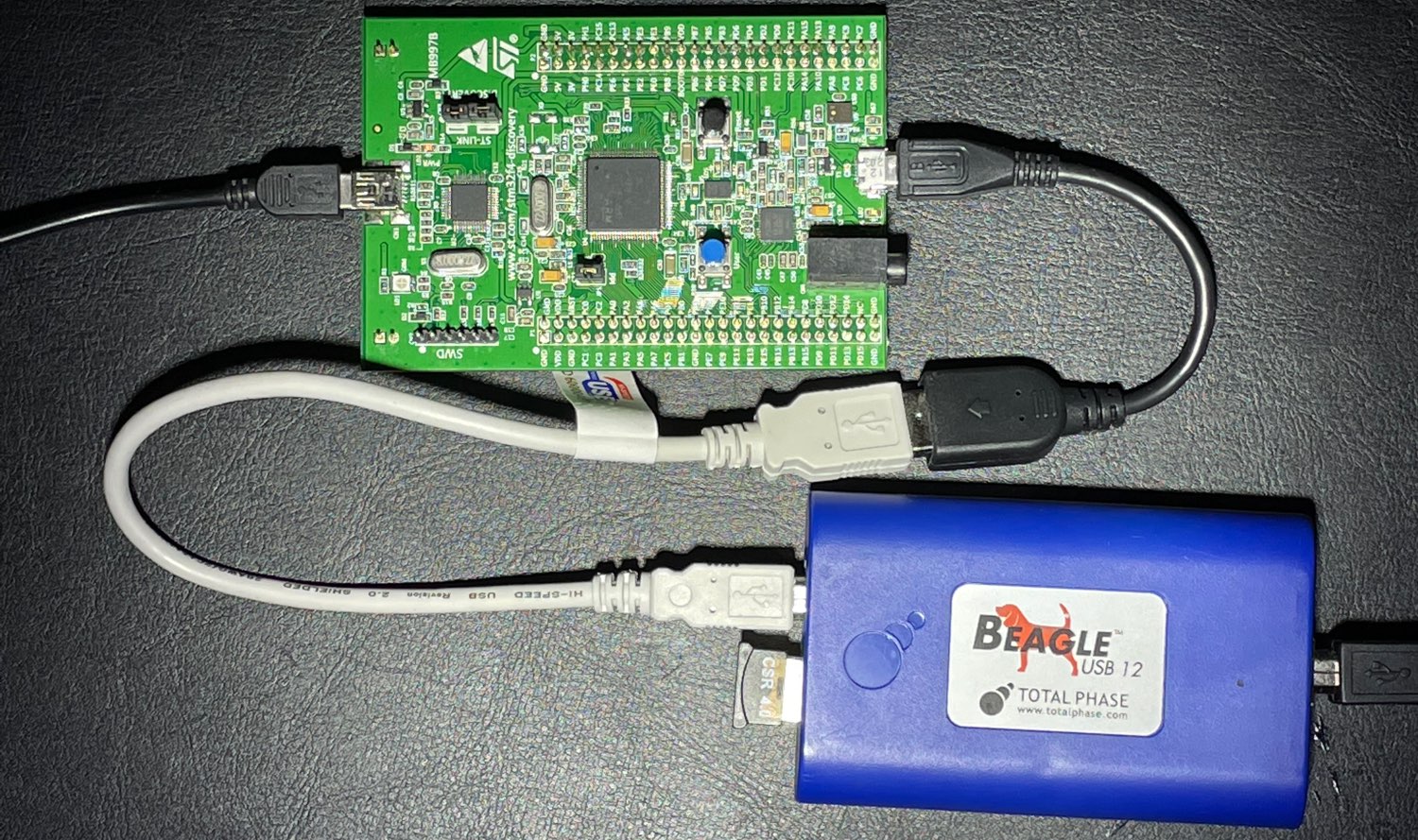
In this blog post, we provide an overview on how to use Bluetooth Controllers via USB as well report on our journey of porting BTstack to the STM32 F4 Discovery board which has an USB On-The-Go (OTG) interface.
Using a USB Bluetooth Controller has a higher complexity than one connected via the UART, mainly due to the need for an USB Host Stack. However, such controller may become quite handy when we need to a) add Bluetooth functionality to existing devices with an USB port, and/or b) avoid radio emission testing for low volume products as the device is shipped without RF functionality.
When using Bluetooth Controllers via the H4/UART transport, there’s no error-correction mechanism. Therefore, a single lost byte causes the HCI transport to loose synchronization and requires a full Controller reboot.
An effective way to prevent loosing bytes on the UART peripheral is to enable hardware CTS/RTS flow control. For example, most STM32 MCUs have a rather simple, yet effective implementation: – when a byte is received, the RTS line raises causing the Bluetooth Controller to pause output; – when the UART’s receive register is read, the RTS line is lowered again.
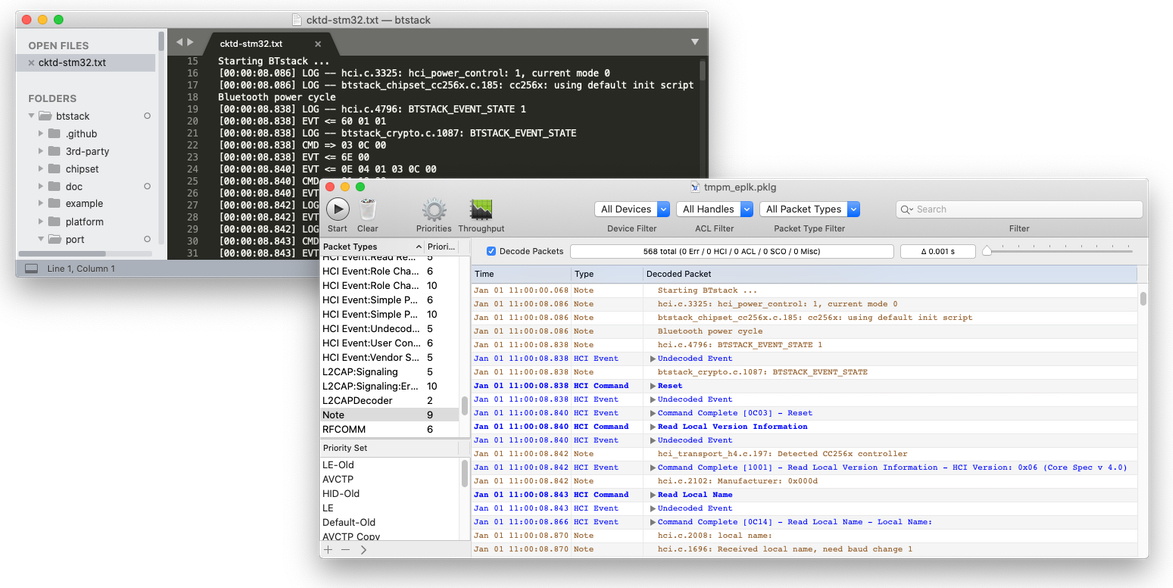
BTstack can output application logs inlined with HCI traffic. We internally just call it HCI dump, and use this feature on a daily basis, whether we are just developing BTstack or need to analyze a reported issue.
BTstack’s HCI Dump functionality is quite flexible and can also be used on an embedded target with just a regular UART debug output or the faster SEGGER RTT.
The usual HCI dump form that we encounter with an issue report, a user email, or our own embedded development with SEGGER Ozone is text output. The text output can be stored and converted into a PacketLogger file (.pklg) for further analysis in Wireshark or Apple’s PacketLogger tool.
For Bluetooth Low Energy (BLE) connections, most application make use of the Generic Attribute Profile (GATT) profile. Access to data on the GATT Server can require authentication on a fine-granular level. However, this security is only enforced by the GATT Server. If an attacker uses the Bluetooth address of a previously paired device, it can configure its GATT Server with no authentication requirements and interact with the fooled GATT Client. Similarly, if the attacker is present during the first connection, the GATT Client may interact with the attacker without any form of pairing. These issues were analyzed in the BLESA paper. The issues are not limited to a particular implementation, they are based on an incomplete Bluetooth specification.
The Cross-transport Key Derivation (CTKD) between Bluetooth LE and Classic (BR/EDR) transports introduces various security issues depending on the actual configuration and use that have been recently brought forward by researchers of Purdue University.
CTKD allows to pair on one transport, and use derivation of this key for other transport, i.e., as a link key for classic, or long term key for LE transport.
The key idea for the BLURtooth attacks is to pair on the transport with lower authentication requirements, and then connect on the transport with the higher authentication requirements which may not check the authentication requirements, and so gain access to its services.
LE Secure Connections uses the Passkey entry method to prevent MITM attacks. However, the new ‘Method Confusion Attack’ shows that a MITM attack is possible although the user perceives pairing using the Passkey-Entry method. In this attack, the MITM uses the number generated by Numeric Comparison with one device for Passkey entry with the other, hence providing the illusion that the connection is secure.
A new Bluetooth security paper Bluetooth Impersonation AttackS (BIAS) shows how flaws in the Bluetooth spec can be used to perform a variant of the existing KNOB attack even after pairing. In a nutshell, the paper suggests that Secure Connections (SC) can be downgraded to Legacy Secure Connections and that Legacy Secure Connections do not require mutual authentication.
The good news is that the encryption key size check, that we added to BTstack to prevent the KNOB attack by the same author, also prevents the BIAS if the default encryption size of 128 bit is used. With a lower encryption key size, the KNOB attack becomes easier to mount, but brute-forcing the lower encryption key size (>= 56 bit) still requires significant computing power.
The new KNOB attack exploits a flaw in the key negotiation protocol for classic connections and lets an attacker reduce the effective key length to a single byte of Classic connections, which then can easily be broken by brute-force.
While Bluetooth Controller could be updated by the vendor to require at least a 56 bit key length, the recommended remedy by Bluetooth SIG Erratum 11838 is to validate the effective encryption key size by the Bluetooth stack.
Re-evaluating LE Legacy Pairing, we realized that customers could miss to set two security keys (ER + IR) to persistent random values, which would lead to a security issue. In addition, a Central would have issues identifying different devices if private random addresses are used.
With this advisory, we would like to make sure that your design is not affected.
Action
You should check if you are providing unique/random persistent ER and IR values to the Security Manager via sm_set_er() and sm_set_ir during startup.
For quite some time, I’ve envied people that made their own PCB boards to solve simple connectivity problems instead of using solderless breadboards or creating some ugly and non-robust one-off solder sins. While a decade ago, creating PCB was either expensive or involved toxic chemicals for the DIY path, companies like Oshpark, Fritzing Fab, or SeeedStudio Fusion solve this problem by providing small PCB for a few bucks.
Now, we just need to design the board. Recently, I needed a simple board to break out all lines of a 0.05″ DIP module. With help of a friend, it didn’t take long to add two 0.05″ and two 0.1″ connectors, connect them one by one, plus route all connections manually for fun in KiCad.
When a Bluetooth use case doesn’t work as expected, it’s often very helpful to analyze the Bluetooth communication.
If one side is using BTstack, a good way for this is to just enable HCI Packet Log, convert the console output with the create_packet_log.py tool and then inspect it with Apple’s PacketLogger (macOS only) or Wireshark (any platform). By this, the debug output is captured in-line with the Bluetooth packets, which makes them much easier to analyze.
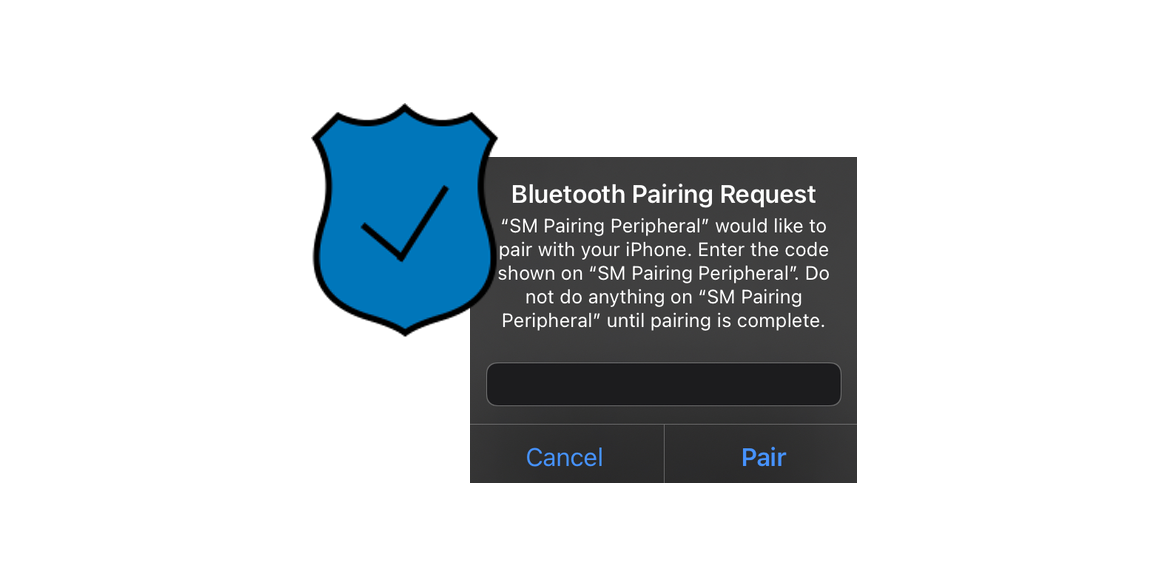
For two Bluetooth devices to communicate securely, pairing is required to authenticate and encrypt the communication between them by entering a PIN or comparing a number shown on both devices. If the created secret data is stored, the process is called bonding.
For Bluetooth Classic, a shared link key is created. For LE, a long term key (similar to link key) is created, but also additional device information is exchanged like Identify Resolving Key (IRK) and the public BD_ADDR. This information allows to recognize and reconnect to previously bonded device, even if it is using a resolvable private private Bluetooth address.
After a small detour handling Cross-Platform Console Input, we’re back and got audio streaming via A2DP to work in both directions on the STM32 F4 Discovery board.
Given the hardware options on the board, we’d like to play stereo music via the built-in Cirrus 43L22 Audio Codec and stream some music to a headset / loudspeaker, ignoring the microphone on the Discovery board.
Audio Playback with the Cirrus 43L22 Audio Codec
As the audio codec was already on the dev kit, we expected playing a simple sound like a sine wave to be a straightforward task, using Makefiles and the GNU ARM Embedded Toolchain.
However, it turned out that it’s not possible to output audio via the I2S interface at exactly 44100 Hz. It can be configured for 44108 Hz though, which is close enough for our human perception, but if we receive audio at the nominal rate of 44100 Hz, our buffer will underflow after a while – even if there are only 8 samples missing per second. So, while we need to work on an algorithm that keeps the audio in sync by adding or dropping a single sample occasionally, we’ll look at another practical problem.
In our first post we’ll describe, in a (mostly) linear fashion, how we ported BTstack to the STM32 platform. The steps we took to port BTstack could be easily generalized, so this example should serve as well as a tutorial for porting BTstack to other platforms.
Hardware Overview
For this port, we will get BTstack up and running on some ready-to-use hardware without soldering or too much jumper wires.